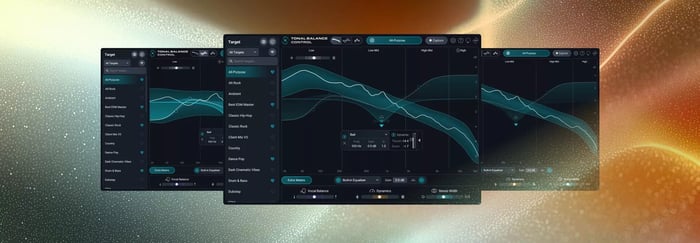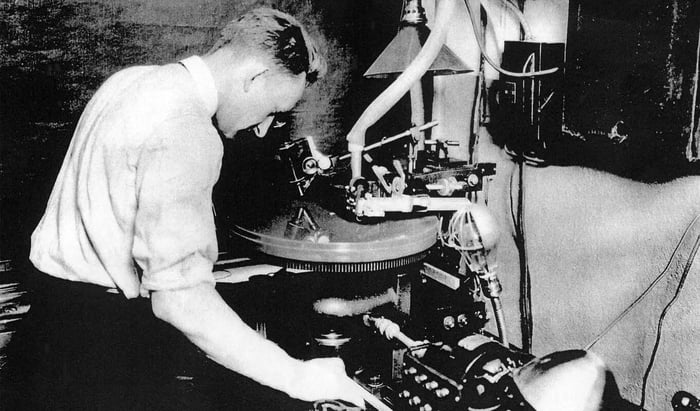

Reference tracks are incredibly helpful mastering tools when it comes to the efficiency of a mastering session, for several reasons we’ll be discussing below. However, relying on reference tracks comes with a few important caveats that, if not given proper attention, could either make or break the flow and authenticity of your mastering.
Let’s dig deeper into its many advantages while paying attention to a couple of track referencing guidelines in order to guarantee mastering results that are most authentic to the music. We’ll also go over several of the unique referencing tools you have access to with Ozone. If you haven’t already, check out our Are You Listening? video on reference tracks in mastering below.
Follow along with Ozone and Tonal Balance Control.
What are reference tracks?
As the keyword “reference” suggests, reference tracks are meant to serve as guides for understanding the intended direction of a record—both artistically and sonically. It’s commonly used in both the mixing and mastering stages, especially when an engineer is collaborating with an artist/producer who has specific ideas of how they’d like their production mixed or mastered.
Artists may have a general idea of how certain elements in the production should sound, or they might have a particular song, album, or artist that they want their record to sound similar to. By referencing popular hit records that fall within the same sonic “umbrella” as the music that’s being mastered, the engineer instantly gets a better general sense of the timbre, tonal make-up, and overall dynamic range/energy that the artist is hoping to achieve in their music.
Though reference tracks tend to overlap between both stages, it’s important to distinguish the purpose of reference tracks in the mixing stage versus mastering stage.
In mixing sessions where you have access to each individual track, you have full control over every aspect of the production—from the levels, panning and automation down to the effects and timbre of every instrument in the record. Analysis of reference tracks takes on a microscopic level where every element in the production could be dissected.
In mastering where you’re typically working with a finalized stereo mix, reference tracks are approached with a broader big-picture perspective. So your reference track analysis leans more towards the overall sound of the music (e.g. tonal balance, loudness, crest factor, etc.).
Below are some tools that can help you use referencing tracks in your mastering session:
- The Tonal Balance Control 3 plugin from iZotope has a desktop app that allows you to capture and analyze audio from any streaming platform or audio source, collecting data on sonic characteristics, and matching it within your own mixes and masters.
- In Ozone, there are multiple built-in features that offer a seamless and intuitive A/B listening experience between your music and reference tracks. Its Master Assistant can match your music to a target genre, and it can also match your track to custom targets that you upload or import via Tonal Balance Control. Its Track Referencing feature allows you to listen to multiple reference tracks with ease within your mastering workflow.
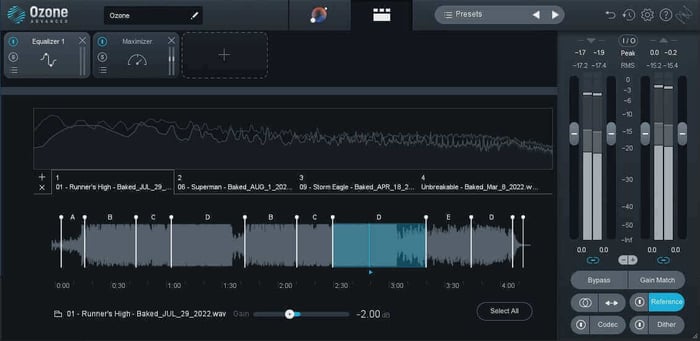
Ozone has multiple built-in features that offer a seamless and intuitive A/B listening experience between your music and reference tracks
We will go over each unique referencing tool in greater detail later in the article. In the meantime, let’s go over the foundations of why we use reference tracks for mastering, along with tips on how to effectively use references in a mastering session.
Advantages of using reference tracks in mastering
Reference tracks can help you understand the client’s artistic intent
With the help of reference tracks, artists have an easier time explaining a specific sound they’re going for. With you being the mastering engineer, this is crucial for ensuring that your mastering decisions align with the client’s vision. Encouraging the client to be open about sharing their ideas helps bridge this creative gap between collaborators. Rather than relying solely on technical jargon and numbers, oftentimes all it takes to get collaborators on the same page is mentioning a popular hit record as a point of reference.
Reference tracks can provide perspective when envisioning the final mastered sound of your own production/mix
Mastering a song you’ve produced/mixed yourself poses several unique challenges, one of which is the reshifting of your perspective from producer/mixer mode to now mastering mode where adjustments tend to be more nuanced. Reference tracks during the mastering stage can help cleanse your (ear) palate, reset your mindset & workflow, and allow yourself to approach your music through a fresh, big-picture perspective.
Reference tracks serve as a helpful guide for relating your music to what’s out there in the marketplace
Besides helping you get a better idea of the artist’s direction, reference tracks are also helpful for checking how your masters compare to music within the same production style/genre that’s already out in the marketplace—whether it be streaming sites or record stores. Without losing your focus on the integrity of your mastering approach, you also want to make sure that the music you’re mastering would sit nicely on a playlist alongside other tracks that have the same style/characteristics.

Reference tracks serve as a helpful guide for relating your music to what’s out there in the marketplace
Using reference tracks in mastering with Tonal Balance Control and Ozone
Once you have a song you would like to use as a mastering reference, you can capture its sonic profile with the Tonal Balance Control 3 desktop app. TBC 3 analyzes audio from any popular streaming platform or audio source. Play your chosen audio through the selected output of your device and the application will collect data on key sonic characteristics, helping you to visualize, compare, and match your favorite reference tracks and sounds.
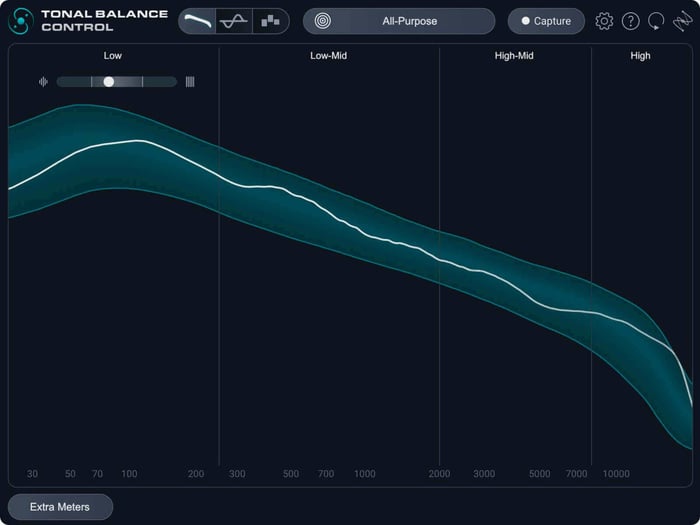
Tonal Balance Control 3 desktop application
The reference analysis from Tonal Balance Control is seamlessly integrated with iZotope plugins including Ozone, eliminating the need to download tracks or set up tedious audio routing.
Ozone Master Assistant: Target Genres
Ozone comes with a robust AI that harnesses the power of machine learning to leverage the impact of reference tracks to your mastering workflow. Ozone's Master Assistant can analyze your song and generate a custom mastering signal chain that’s tailored to the reference genre that best matches your song or the custom reference that you saved from Tonal Balance Control.
Let's first look at the target genres. Initiate Master Assistant, and you can see two options. The first is Auto-Master, and the second is Custom. Custom offers you the ability to guide the assistant from the outset. You can choose a genre target at this time, or your custom curve from TBC. There are other custom parameters you can explore as well.
Then, analyze your loudest section of your sound. After a few seconds, Master Assistant will begin to generate a mastering signal chain that's tailored to a set of parameters, one of them being a target genre.
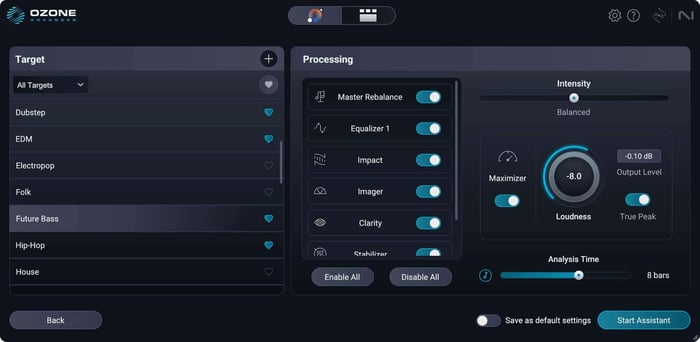
Ozone 12 Custom Assistant flow
Though Master Assistant can initially select this reference genre based on its analysis of your song, you have the option to fine-tune it further by auditioning different genres from the Target Library.
I encourage you to fine-tune the various parameters further to better suit your music.
Tips to effectively use reference tracks in a mastering session
Now that we've outlined how to use reference tracks in your session, let's look at some tips that will help you along the way when using them in your mastering session.
1. Resist relying too much on reference tracks
It’s important for you as the mastering engineer to take the time and listen to the music you’re mastering without being influenced by any reference track. You don’t want to lose sight of the unique, defining qualities of your music when dialing in your mastering settings.
A reference track might not even sound closely similar to the music you’re working on, so discernment is key! Your responsibility then is to analyze the notable qualities in the reference track and adjust your mastering approach with those in mind. Find out what the client specifically likes about the reference track—is it the punchy low end, the saturation and loudness, the presence in the vocals? Track referencing can go a long way when communicating with the artist.
2. If necessary, guide your artist/client towards finding effective reference tracks
There may come a time when your mastering session involves a reference track that has zero similarities with the music you’re working on. Or perhaps the artist/client is not fully certain about what the final master should sound like.
Part of the communication process is to further guide them towards giving you more insights that are helpful to the mastering session. Try to steer them to references that are within the same production style/genre as their music.
Here are a few questions I like to ask that have helped me pick my clients’ brains in the past:
- Who are your musical influences?
- What other artists/songs do you envision being in the same streaming playlist as your music?
- If they’ve provided references, ask them what they specifically like about the reference track/s and why they’ve chosen it as a reference for this particular mastering session.
3. Bridge the gap instantly with Leveled View
Instead of just guessing how much EQ to apply, use the brand-new Leveled View alongside the Built-In Hybrid EQ in Tonal Balance Control 3. This view shows you exactly how and where your master strays from your target curve. Because the EQ is built directly into the interface, you can make instant static or dynamic adjustments to "flatten" those discrepancies without ever leaving the plugin.
4. Create your "True North" with the Target Blender
Don't feel restricted to a single genre preset. If you are mastering a track that sits between styles—like an Indie-Electronic hybrid—use the new Target Blender in Tonal Balance Control 3 to combine two different references. You can weight the percentage of each (e.g., 70% Synth-pop / 30% Alternative) to create a custom "compass" that perfectly matches the unique vibe of your project.
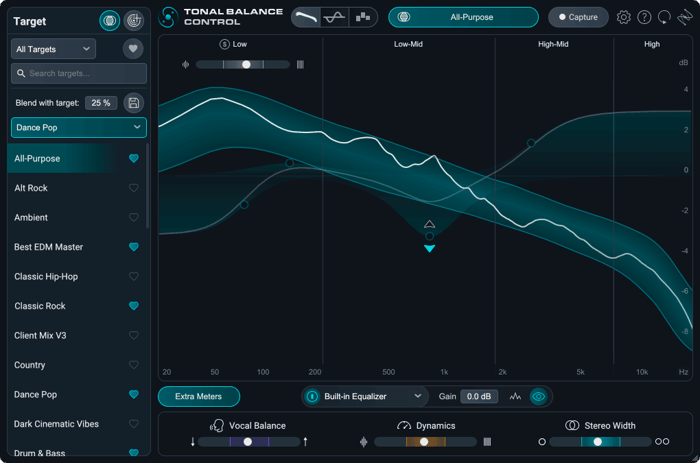
5. Gut-check the big three beyond EQ
Mastering isn't just about frequency balance; it’s about how the track feels. Use the three new extra meters in Tonal Balance Control 3 – Vocal Balance, Dynamics, and Stereo Width – to perform a final sense-check.
- Vocal Balance: Ensure your lead sits in the "sweet spot" compared to pro standards.
- Dynamics: Check that your master hasn't become too "squashed" compared to your reference.
- Stereo Width: Assess the immersion of your track to ensure it translates across different playback systems.
Start taking advantage of reference tracks – but don’t lose sight of artistic intent
Reference tracks are helpful tools in the mastering world, and Ozone has multiple built-in functionalities that leverage the impact of reference tracks in mastering. But do keep in mind that references are only as effective as the quality of communication between you – the mastering engineer – and the client you’re collaborating with.
And if you’re mastering your own production or mix, references are only effective if it doesn’t hinder you from your own creative freedom. Regardless of the reference tracks, your ears and mastering experience are what will ultimately dictate the final mastered sound. Listen with intent and hone in on mastering the music without losing sight of its unique characteristics.
With these at the forefront, reference tracks naturally become even more powerful tools that enhance the efficiency and flow of your mastering session. If you haven't already, try using the powerful referencing capabilities in Tonal Balance Control and Ozone or yourself and take a look at iZotope's other track referencing tutorials.