
We’ve all been there: you’ve spent hours tweaking a mix, only to realize it sounds completely different when you play it in your car or on a pair of headphones. Achieving a commercial sound isn't just about the gear you use; it’s about understanding how your frequencies sit compared to the tracks you love.
Today, we are excited to introduce Tonal Balance Control 3, a professional audio metering and tonal analysis plugin designed to help engineers match the frequency spectrum of their mixes to industry-standard references.
Whether you’re an experienced engineer needing a quick reality check or a newer producer looking to match the energy of a specific genre, Tonal Balance Control 3 is your visual compass, ensuring your audio translates perfectly to any listening environment.
What’s New in Tonal Balance Control 3?
Measure vocal balance, dynamics, and more with Leveled View
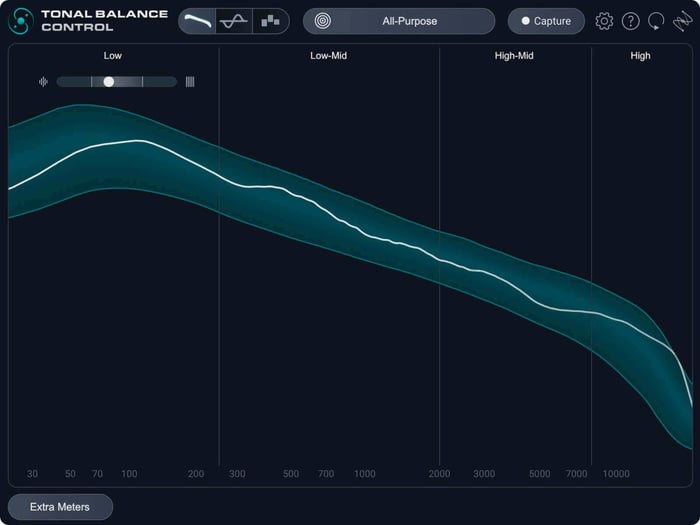
The first thing you’ll notice in Tonal Balance Control 3 is a more intuitive way to visualize your sound. We’ve introduced Leveled View, a streamlined interface that strips away the noise to show you exactly where your mix is over-emphasized or lacking. It’s the ultimate gut check for your master bus.
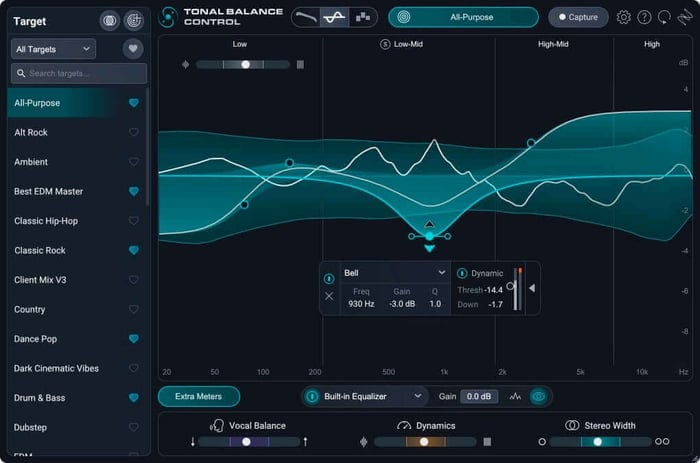
Leveled View in Tonal Balance Control 3
But balance is about more than just a frequency curve. To give you a 360-degree view of your project, we’ve integrated three brand-new meters:
- Vocal Balance: No more second-guessing if the vocals are too loud or buried in the arrangement.
- Dynamics: See the "breath" and impact of your track to ensure it hasn't been over compressed.
- Stereo Width: Manage your spatial image to ensure your mix feels immersive without losing its punch.
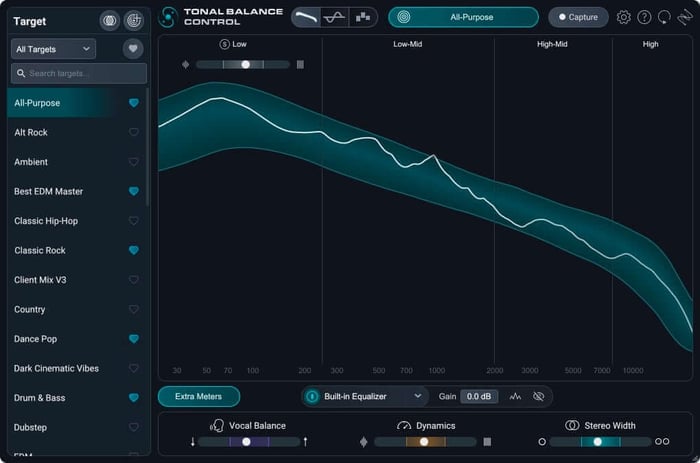
Extra meters in Tonal Balance Control 3
Reference streaming audio with Tonal Balance Control 3
One of the biggest hurdles in music production is referencing high-quality audio from streaming platforms. Tonal Balance Control 3 solves this with a new standalone desktop application. You can now pull a frequency profile from any audio playing on your computer – whether it’s a high-res stream from Tidal, a music video on YouTube, or a classic track on Spotify – and use it as a target in your DAW.
Tonal Balance Control 3 desktop application
Create custom reference targets with new Target Blender
Want to create your own sound? The Target Blender allows you to morph between different genre standards. If you’re producing a track that sits somewhere between lo-fi hip hop and modern pop, you can blend those two targets to create a custom reference that is unique to your vision.
Fix your mix in real time with Hybrid EQ
Tonal Balance Control 3 isn’t just a window to look at; it’s a tool for action. With the new Hybrid EQ, you can make surgical or broad tonal changes directly within the plugin. If you see a buildup in the low-mids, you can reach out and fix it instantly without flipping through multiple windows.
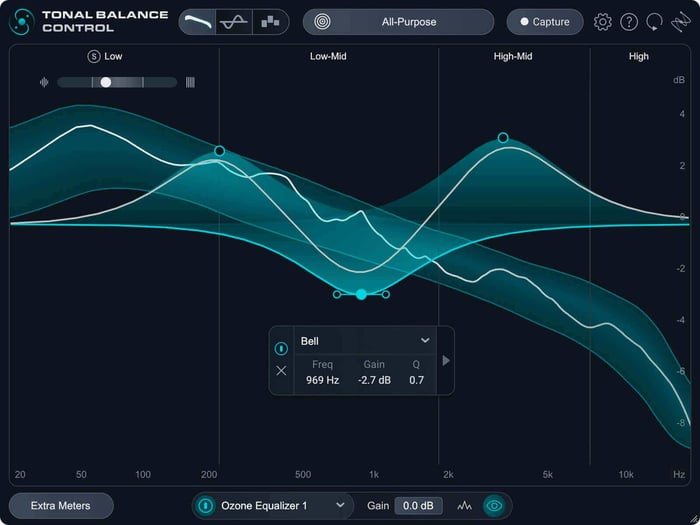
Hybrid EQ in Tonal Balance Control 3
Finalize with total certainty
Tonal Balance Control 3 is designed to take the guesswork out of the final stages of production. By giving you the tools to see, compare, and correct your audio against any reference, it empowers you to stop tweaking and start releasing. It's time to finish your tracks with the confidence they deserve.
Frequently asked questions
How does Tonal Balance Control 3 differ from the previous version?
Tonal Balance Control 3 is a significant leap forward, featuring a standalone app for referencing external audio (like streaming services), a new Leveled View for easier monitoring, and three new meters for vocals, dynamics, and width. It also adds a built-in EQ so you can fix balance issues on the spot.
Do I need other iZotope plugins for this to work?
While Tonal Balance Control 3 works beautifully on its own, it is designed to “talk” to Ozone and Neutron. If you have those plugins installed, you can adjust their settings directly from the Tonal Balance Control 3 interface.
Can I still use my custom target curves from Tonal Balance Control 2?
Absolutely. We’ve made it easy to import your existing library of custom targets into the new version so you don’t lose your signature sound.
Is VST2 supported in the new version?
To ensure the best performance on modern systems, Tonal Balance Control 3 supports VST3, AU, and AAX formats. VST2 is no longer supported.