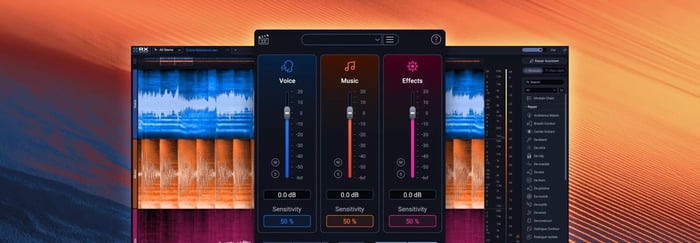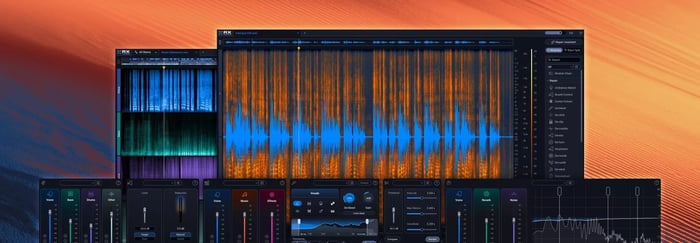

RX 12 is here, ushering in a new era of machine learning technology designed to make the impossible possible. This latest generation of the industry-standard restoration suite introduces groundbreaking source separation tools and fix-it-fast workflows that work for everyone, from Oscar-winning post professionals to bedroom creators.
Whether you are fixing cross-signal leakage in a vocal booth or rebalancing a full mix without stems, RX 12 provides the surgical control you need to deliver flawless audio for every scene, song, and story.
Already own a previous version of RX? Log into your iZotope account for special loyalty pricing.
Check out the new and improved features in RX 12:
- NEW: Scene Rebalance [Advanced] – Intelligently separate dialogue, music, and effects from a single stereo render.
- NEW: Stems View [Standard & Advanced] – A track-based workflow that lets you apply the full RX toolkit to individual isolated stems.
- NEW: Trim Silence [Advanced] – Automatically detect, adjust, and standardize regions of silence in long audio files.
- REBUILT: De-bleed [Standard & Advanced] – Now with a real-time plugin that requires no reference track to remove headphone or instrument bleed.
- REBUILT: Breath Control [Standard & Advanced] – Higher accuracy for detecting and removing breaths in dialogue and vocals.
- IMPROVED: Music Rebalance & Dialogue Isolate [Standard & Advanced] – Upgraded neural nets for pinpoint stem isolation and cleaner voice processing.
- NEW: Design Updates – Work faster with a larger spectrogram, new module search, and resizable history panel.
Focus the story with Scene Rebalance
Have you ever received a "final" mix that needed more dialogue and less score, but you didn't have the stems? Scene Rebalance gives you the power to independently adjust levels and make detailed edits for dialogue, music, and effects in seconds. It is a massive timesaver for post production when the balance needs a tweak but the clock is ticking.
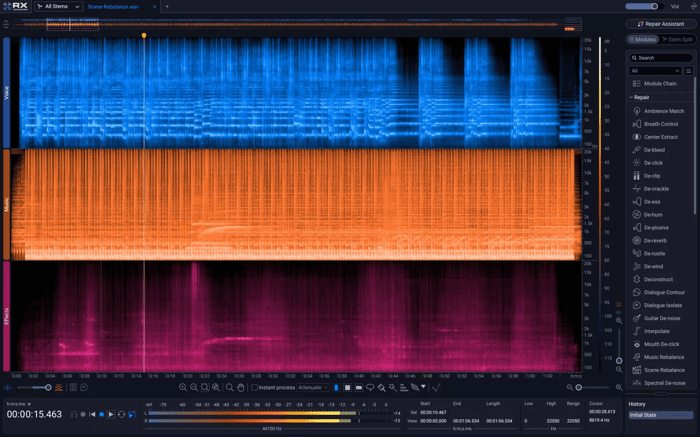
Scene Rebalance in RX 12
Learn how Academy Award-winning supervising sound editor, sound designer, and re-recording mixer, Mark Mangini uses RX 12 to save his scenes.
Deep-dive into detail with Stems View
Unlock new depths of detail by visually splitting your audio into stems. Stems View allows you to isolate a specific element – like a bass track with a hint of hum – and apply any of RX’s surgical plugins to an individual stem with laser-focused precision before seamlessly bringing the mix back together.
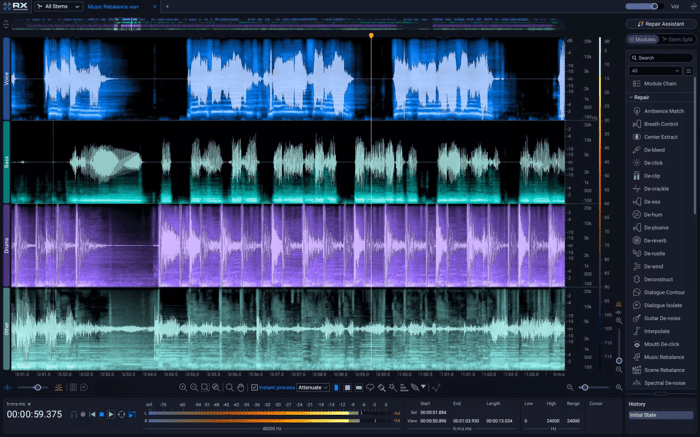
Stems View with Music Rebalance in RX 12
Clear the air with rebuilt Breath Control
Polish vocals and speech faster than ever. Powered by advanced ML technology, the rebuilt Breath Control intelligently detects and removes breaths with significantly finer accuracy. This means less time spent manually drawing gain edits and more time protecting the actual performance.
Tweak mixes and save dialogue with improved nets
Experience new levels of precision with upgraded neural nets in Music Rebalance and Dialogue Isolate. You can now adjust individual mix elements instantly with the Music Rebalance real-time plugin or rescue speech buried under noise and reverb with the enhanced accuracy of Dialogue Isolate. Whether working offline or in real-time, these tools ensure your audience hears every word clear as day.
Why upgrade from RX 10?
If you are still using RX 10, skipping RX 11 means you have missed out on significant technological leaps. Upgrading directly to RX 12 gives you access to several key tools introduced in the last two years:
- Streaming Preview and Loudness Optimize: Hear how your tracks will sound on platforms like Spotify or Apple Music before you release them.
- Mid/Side Mode: Visualize and manipulate the center and side components of your audio separately for more precise repair.
- Real-time Dialogue Isolate: RX 10 users will find the new real-time plugin version of Dialogue Isolate much more efficient for working directly within their DAW.
Get your copy of RX 12
There has never been a better time to protect your performances and serve the story. Whether you’re an audio post professional, a music producer, or a content creator, start using RX 12 today to bring out the best in your audio.