
ARA: When it comes to audio plugins and plugin formats, you might be scared of these three little letters. You might not understand what it means to use ARA-enabled plugins in your daily workflow.
Friend, fear no longer: we’ll explore everything you need to know about the ARA format, showing you how to use ARA plugins to improve your efficiency.
Follow along with this tutorial using iZotope RX, the definitive toolkit for audio repair with ARA-compatibility in Logic Pro, Studio One, and Pro Tools.
What is ARA?
ARA is short for “Audio Random Access.” ARA is a plugin extension that enables seamless integration between your DAW (digital audio workstation) and pug-ins that normally require recording your audio in realtime.
The pitch correction software Melodyne, available in iZotope Music Production Suite, is a great example of what I’m talking about: use Melodyne without ARA, and the workflow is a bit slow: load the plugin on your vocal track, play the track from beginning to end so that Melodyne can “capture” the audio data, and then start working.
But if you load Melodyne ARA on your track, all that “captured data” will appear as soon as you click play. No need to wait for anything to happen in real-time.
ARA acts like a bridge between two complicated processors. In your DAW, you can slide a vocal passage around the grid to time it better; you also can do that in Melodyne’s ARA-enabled plugin.
In a DAW, you can’t de-click one single slice of audio between 1 and 15 kHz – unless you’re using an ARA plugin, such as RX 11.
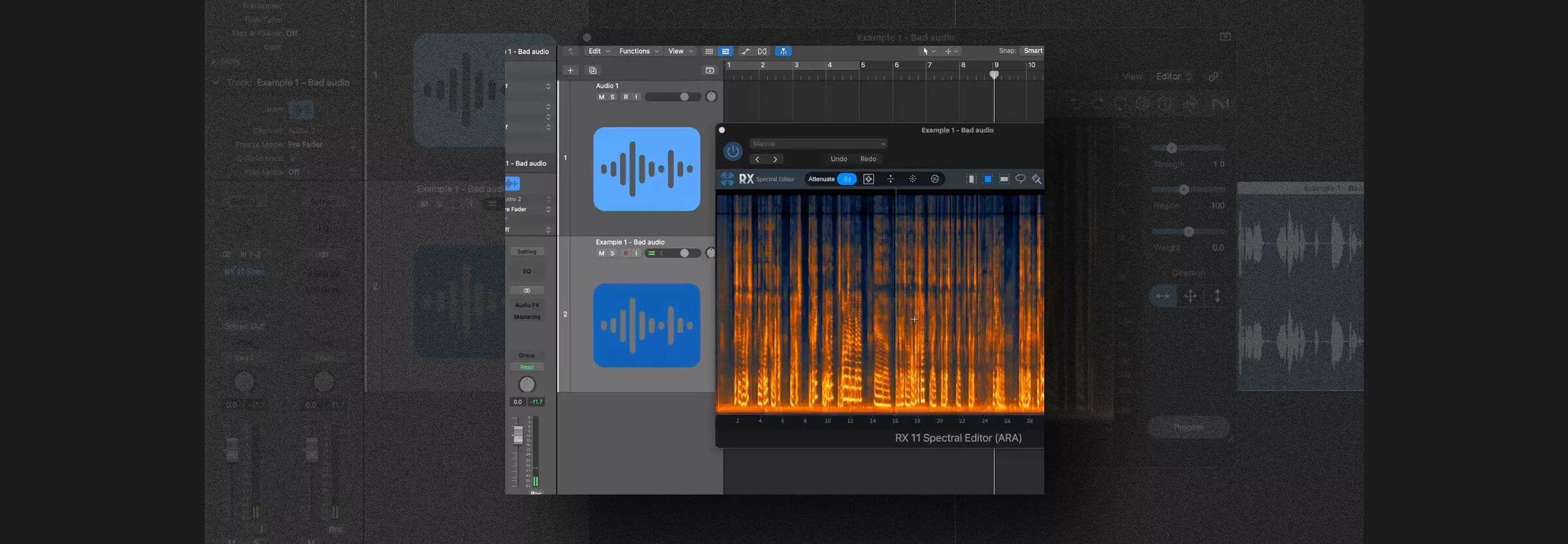
RX’s Spectral Editor has extensive ARA functionality for use inside your DAW. You don’t have to open RX Connect in Pro Tools or an external editor in other DAWs – it can all happen within the plugin.
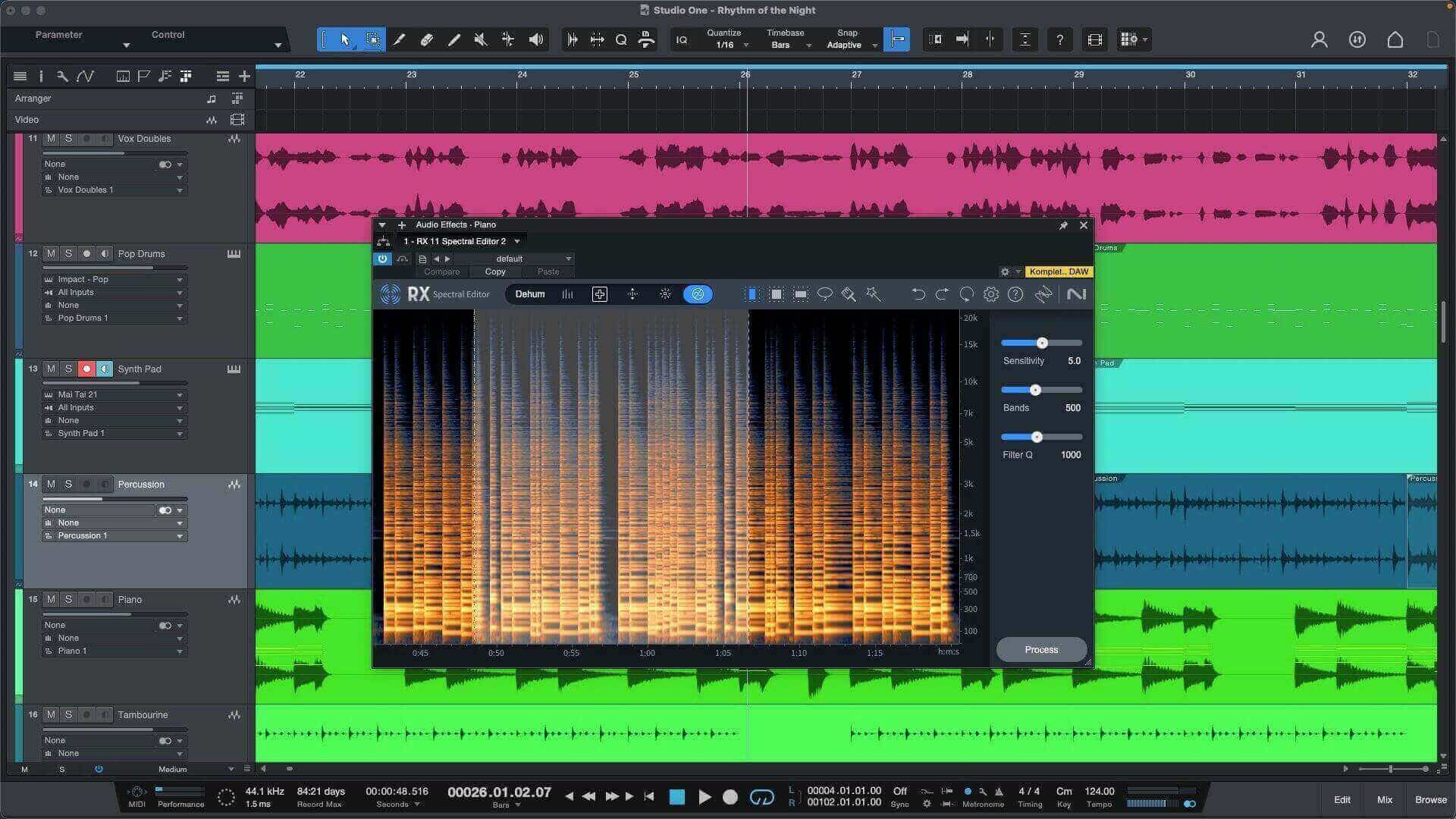
RX Spectral Editor ARA in Studio One
How does ARA work?
ARA works by establishing a bi-directional communication channel between your DAW and the plugin in question, allowing them to exchange data in real-time. I can get into the science of how this works, or I can illustrate how it all works in the following video:
What are the benefits of ARA?
- Real-time processing: ARA-compatible plugins integrate holistically into the environment of your DAW, providing an integrated workflow without the need for cumbersome file transfers.
- Non-destructive editing: With ARA-enabled plugins, you can make changes to your audio that would normally be destructive in other applications. RX as an external editor has the ability to irrevocably change your source-audio if you’re not careful with how you save the original files. ARA removes this destructive possibility entirely.
- Improved Efficiency: ARA-enabled plugins give you a faster, more creative workflow. By eliminating the need for time-consuming file transfers and offline processing, you can achieve more results in fewer minutes.
Potential drawbacks to an ARA-enabled workflow
Having shared the many benefits to ARA plugins, we need to list some issues now, because they are important to understand.
- Not all DAWs support ARA plugins: this is the biggest drawback when it comes to ARA plugins. ARA is not supported in a few DAWs, though the list of which DAWs support the format does change as we move further into the 21st century.
- As of now, Apple Native Silicon processing does not support ARA: This is another drawback, one affecting Mac users. You need to run your DAW in Rosetta mode if you want to use ARA plugins on Silicon Macs. This is a huge issue, at least for users like me. In my experience, DAWs run much smoother on Silicon Macs when using their native architecture. Not only that, I find I can do a lot more before incurring CPU spikes and slow downs.
However, for tasks such as mastering and simple podcast-production – tasks that can make use of RX’s ARA capabilities – it’s not a huge pain to switch among Rosetta and Native modes. The biggest, most time-consuming part of that process is remembering to switch your DAWs into the appropriate mode, and remembering to switch them back again when you’re done.
How to use ARA plugins to improve your audio production
Now I’ll cover some typical ways ARA plugins can help you, doing so using iZotope RX.
1. Make frequency-specific changes to problematic tracks
Often we need to process only one sliver of an audio file – and usually only a specific frequency range within that one slice. I can do this easily in RX’s ARA architecture.
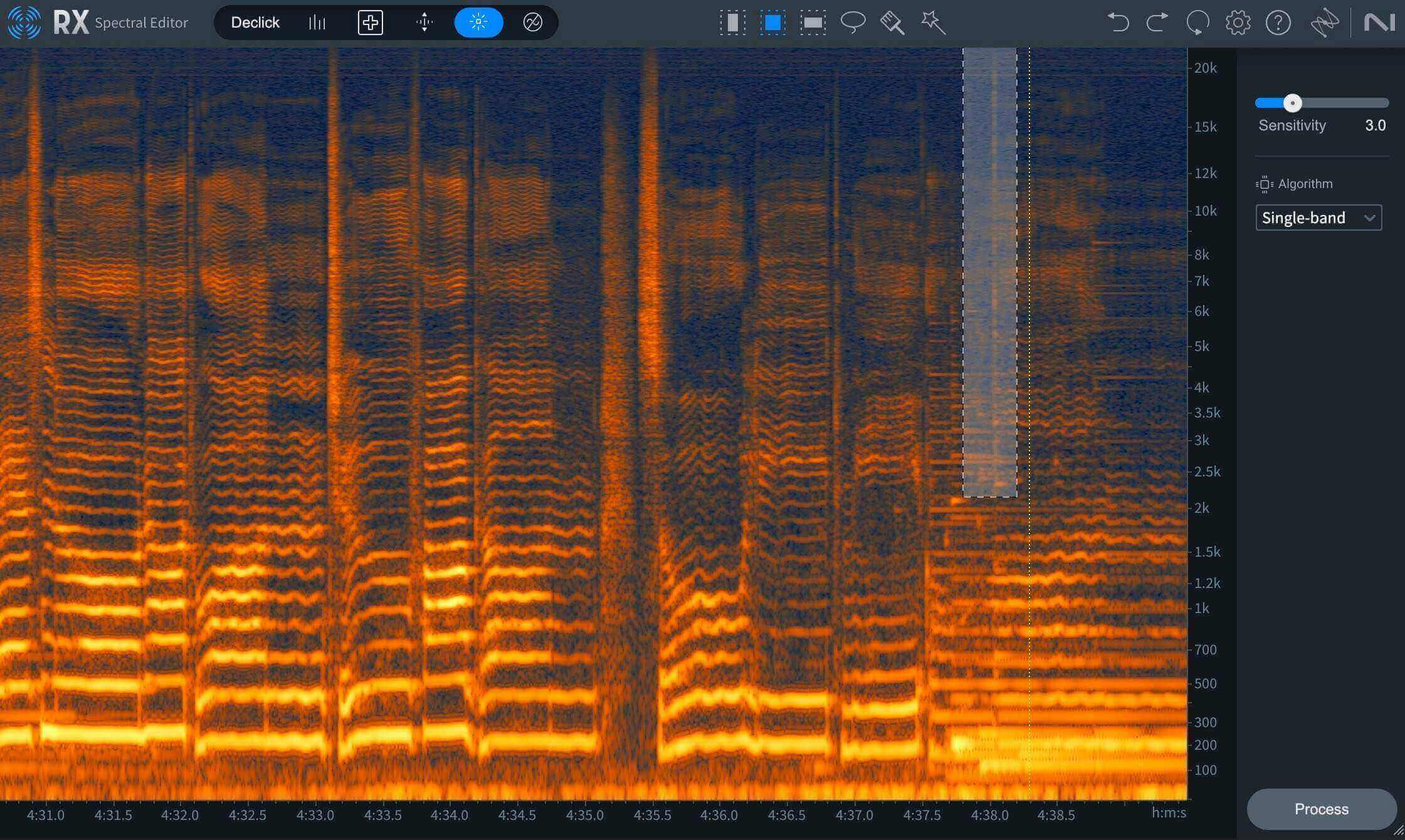
Frequency-specific selection in RX Spectral Editor ARA
Note the tools I have circled in the following screenshot: these allow me to spotlight or highlight certain parts of the audio spectrum.
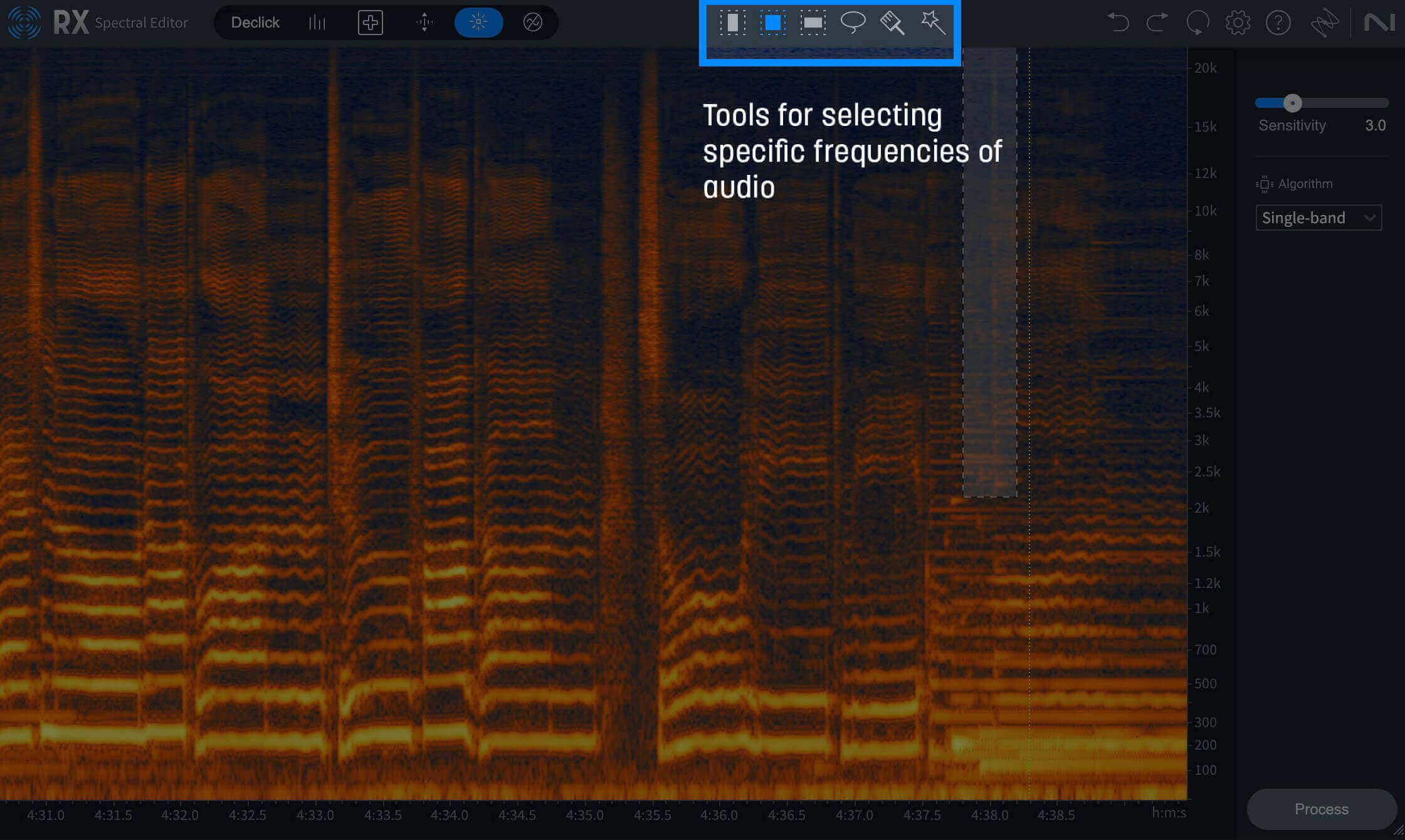
Highlighted tools for selecting specific frequencies
Now I can use a tool like “Attenuate” to interpolate a problem out of existence.
2. Rebalance a stem in real-time with RX Music Rebalance ARA
Recently I mixed a song for the Artist Glorian called “Anger is a Monument.” I got a rather simple revision note: turn down the vocals in the verse one dB.
If we were under a tight deadline, and we didn’t have time to put up the analog recall, we could accomplish this note with RX Music Rebalance ARA plugin like so:
3. Separate speakers on your timeline with the Photon ARA plugin
Recorded two co-hosts on one mic, or got a remote interview as a single file? The iZotope Photon ARA plugin brings iZotope Photon’s full engine to your DAW timeline. Because ARA hands Photon the entire clip, not a real-time buffer, it works with the full context of the file.
Add Photon to the clip and choose Voice Separator to split up to six voices into individual stems, plus room tone and background. Click anywhere on the clip to preview, then keep editing in your session. You can run several models on the same clip and switch between them without waiting.
Save time and improve your audio with ARA-compatible plugins
By now, the virtues of an ARA-enabled workflow should be clear. As you embark on your audio production journey, see if you can harness the power of ARA-compatible plugins to unlock new possibilities in your DAW.
As always, we encourage you to dive deeper into the world of audio production and mixing with resources from iZotope, where you can learn how to clean up audio and remove background noise.